Still using on premises Security Groups to manage access to apps? Do you have old Distribution Lists from a legacy Exchange environment and cringing recreating them in Exchange Online? Or worst you still have the dreaded Mail-enable Security Groups kicking around? Well Microsoft has finally come up with a solution to transfer these to Entra ID and THIS game changer is today’s ‘Bonus Edition’ #MicrosoftCloudQuickFix !!!

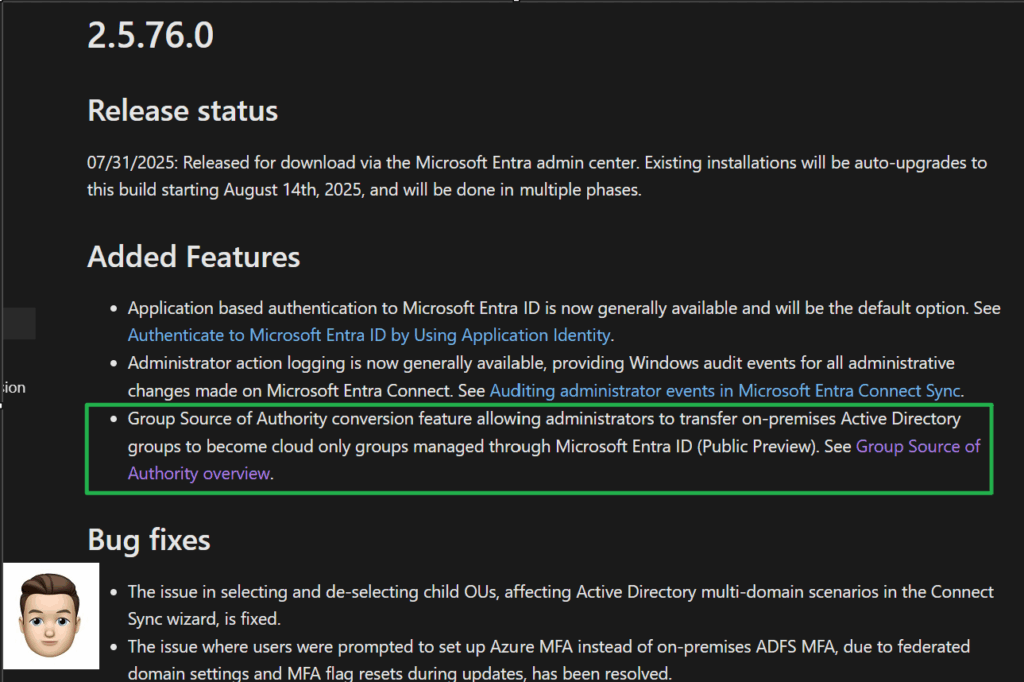
Contained within the July 31, 2025 Microsoft Entra Connect Update 2.5.76.0 is the listing for the added Group Source of Authority conversation feature (Public Preview) which will allow on a per Active Directory Group basis an administrator to transfer the Group Source of Authority from Windows Active Directory to Microsoft Entra ID. The per group basis allows for a nicely phased approach for the transfer!
You will need to make sure you upgrade your production and staging Microsoft Entra Connect servers in order to utilize this new capability which was also announced this week during the Microsoft Entra Suite Summer Camp
Note: For Entra ID Cloud Sync you must be at minimum version 1.1.1370.0
Once you move the Active Directory Group Source of Authority to Entra ID you gain the ability to use the advanced modern identity governance capabilities such as Access Reviews, Entitlement Management, Group Expiration and Naming Policies, and Dynamic Group membership assignment all in that single Entra ID pane. You can then use Group Writeback if the group is needed to govern any on premises applications / resources. If need be you can rollback the Group Source of Authority from Entra ID back to Active Directory!
See what I mean about THIS is a game changer!
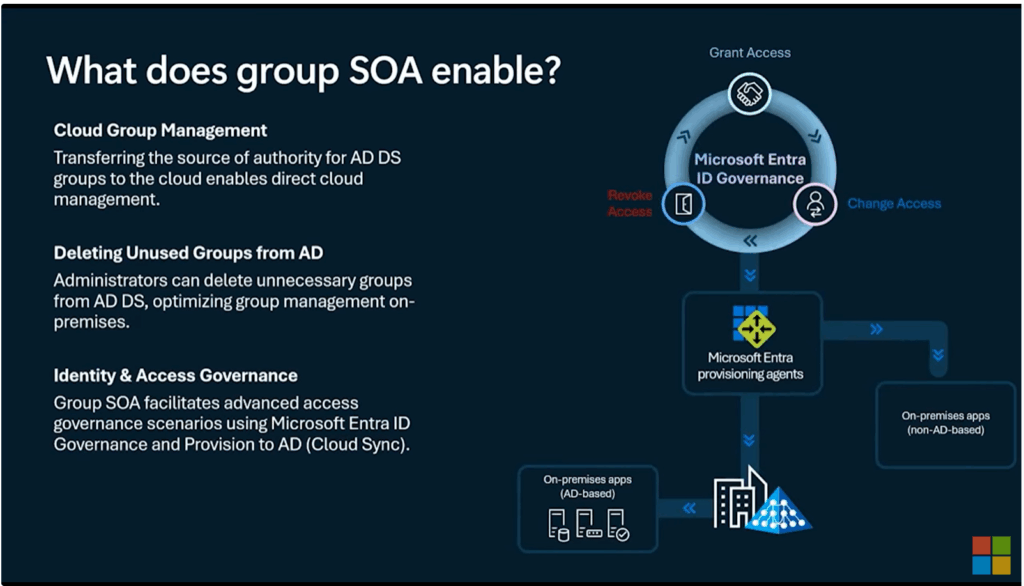
You can watch the demo from #Microsoft here:
This new capability is in Public Preview and rolling out worldwide in August 2025 and is included in Entra ID Free and Basic (and above) licensing however to take advantage of Access Reviews and Entitlement Management capabilities an Entra ID P2 license is needed.
I am certain I will have more to discuss about this new capability so stay tuned!
For more information see:
- New governance tools for hybrid access and identity verification | Microsoft Community Hub
- Embrace cloud-first posture and convert Group Source of Authority (SOA) to the cloud (Preview) – Microsoft Entra ID
- How to use group Source of Authority (SOA) to manage Active Directory Domain Services (AD DS) groups in Microsoft Entra ID (Preview) – Microsoft Entra ID
- Guidance for using Group Source of Authority (SOA) in Microsoft Entra ID (Preview) – Microsoft Entra ID
- Configure Group Source of Authority (SOA) in Microsoft Entra ID (Preview) – Microsoft Entra ID
- Microsoft Entra Connect: Version release history – Microsoft Entra ID
#MicrosoftCloudQuickFix #Microsoft365 #MicrosoftCloudSecurity #MicrosoftEntra #MicrosoftEntraID #WindowsActiveDirectory #ActiveDirectory #SecurityGroups #IdentityAccessManagement #IdentityGovernance #ExchangeOnline #ExchangeServer #DistributionList #MailEnabledSecurityGroup